How to Build & Embed an AI Sales Assistant with Real-Time ERP Integration

Generic chatbots are frustrating because they don't know your business. They don't know your inventory, your pricing, or your specific business rules.
In this tutorial, we will show you how SUDTCore solves this by connecting your raw database directly to a secure AI agent. This agent can generate internal reports, answer customer queries, and even trigger live orders via webhooks.
Step 1: Securely Connect Your Data & Define Business Rules
The first step is establishing a secure connection to your underlying database (Relational or NoSQL like MongoDB).
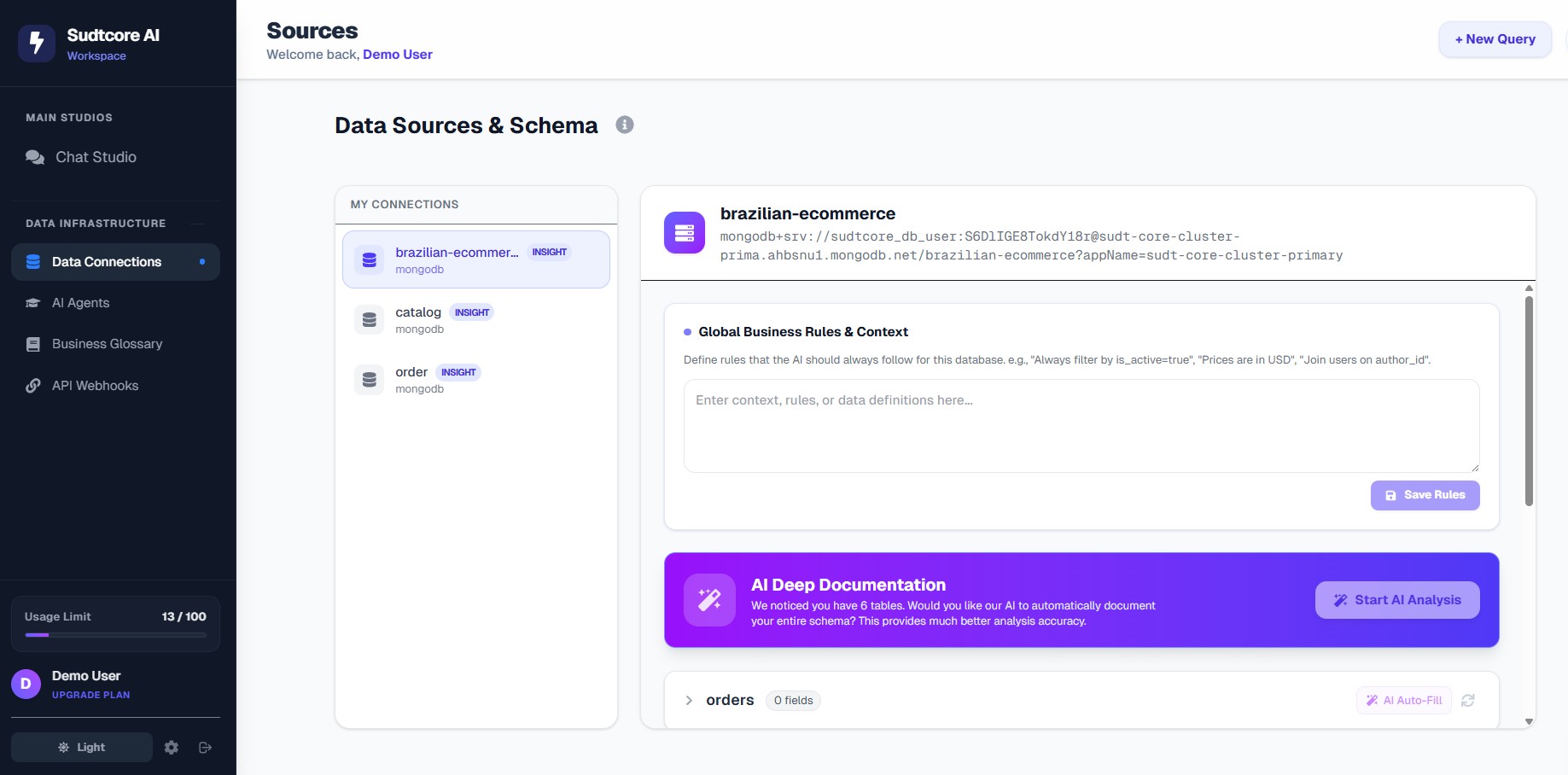
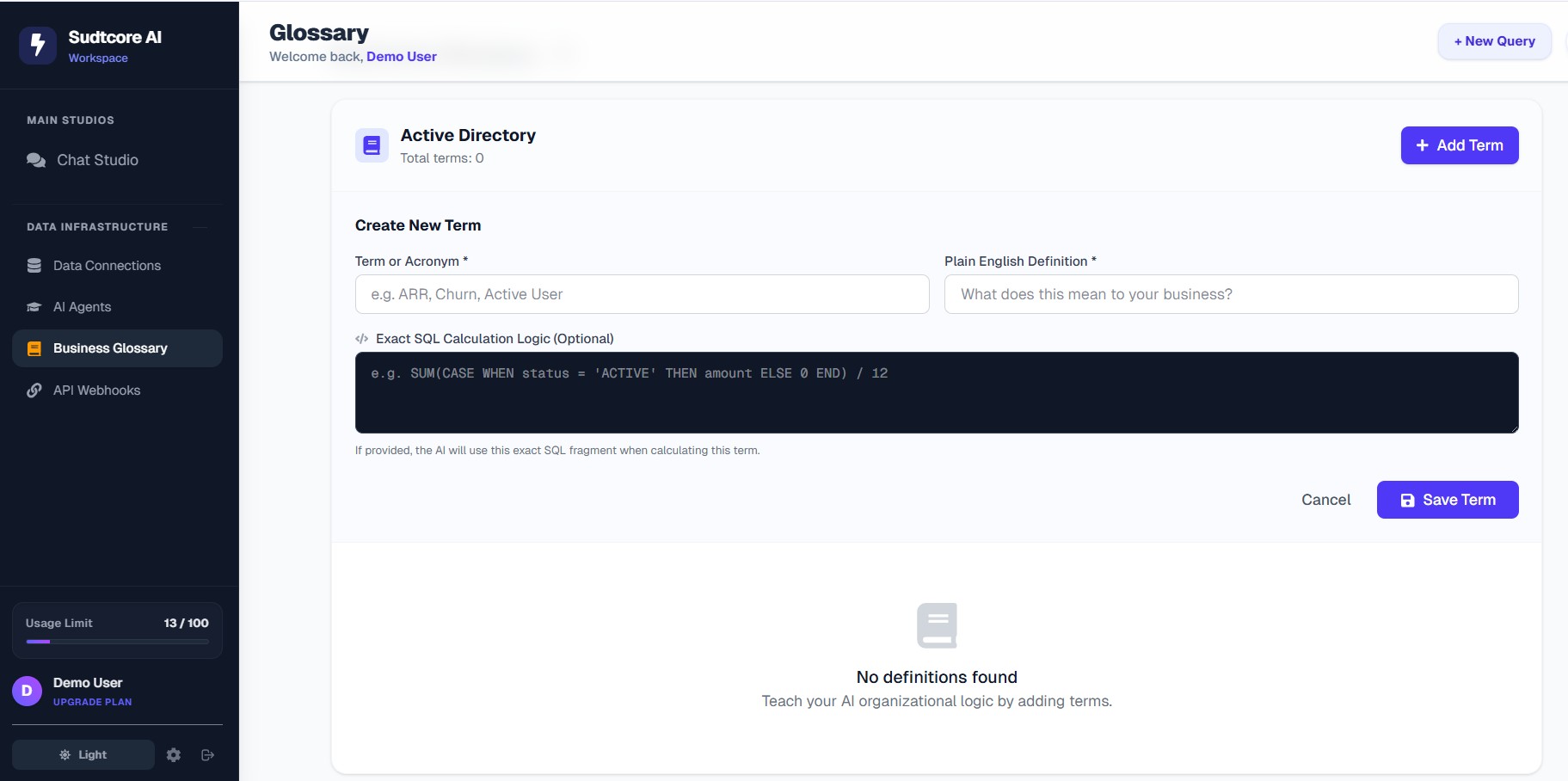
Once connected, SUDTCore doesn't just read data blindly. Through the Business Glossary, you can define critical company acronyms and strict SQL calculation logic for the AI to follow. This guarantees the AI calculates KPIs exactly how your finance team does, eliminating hallucinations.
Step 2: Automate Actions with Webhooks
SUDTCore isn't just a read-only analytics tool—it can take action. By navigating to the Webhooks configuration page, you can authorize your AI Sales Assistant to fire secure POST payloads to external systems.
For instance, if the AI detects high purchase intent during a chat, it can automatically ping your ERP system to create a draft order.
Step 3: Train and Configure Your Custom AI Agent
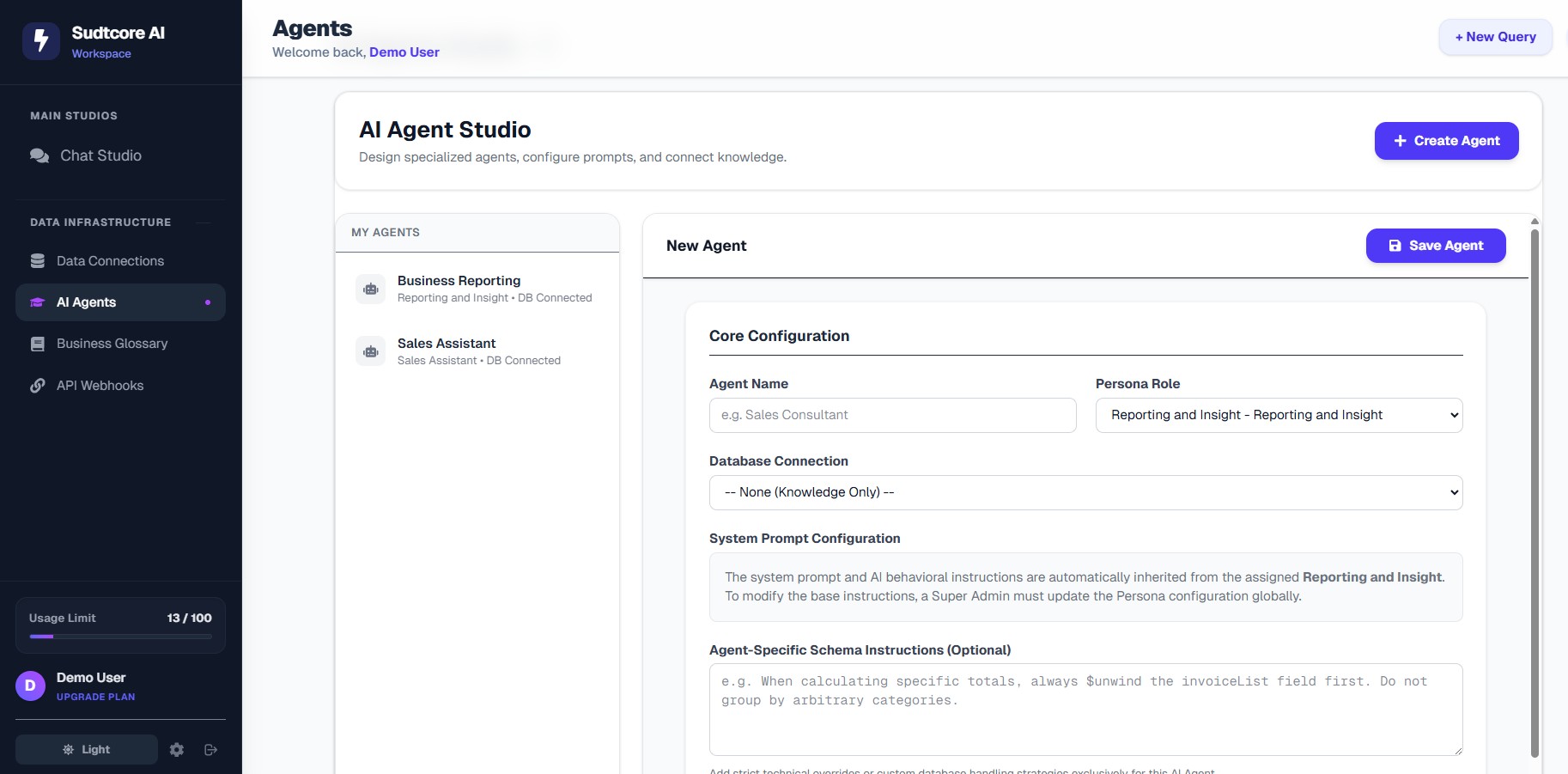
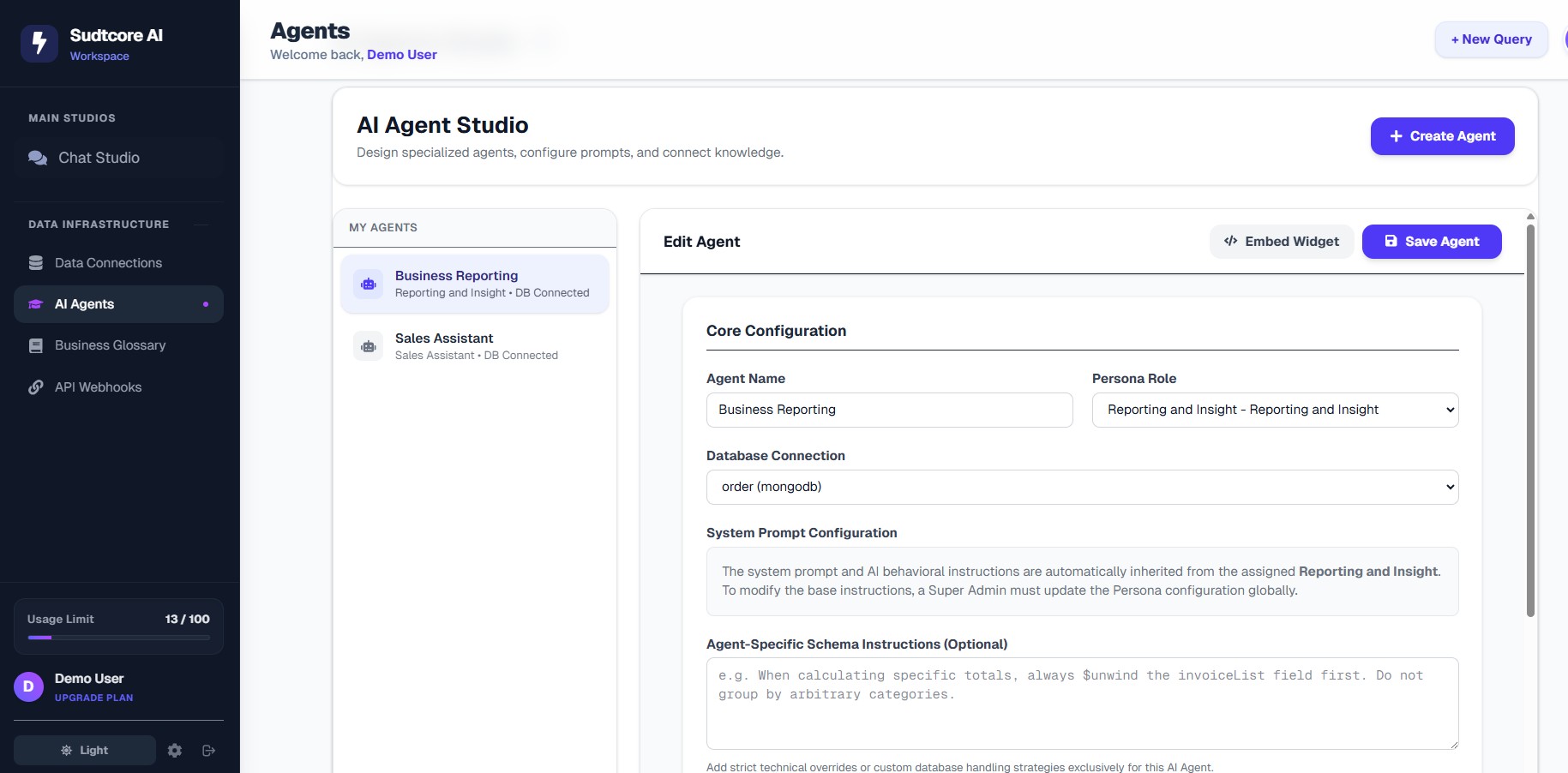
Now we build the actual brain of the operation. In the AI Agent Studio, you can spin up a specific "Sales Assistant" persona.
Here, you attach the database connection you created in Step 1 and assign granular Persona behaviors. You can also provide strict system prompts like "Always filter out inactive products before recommending items."
Step 4: Internal Quality Assurance & Analytics
Before pushing it live to your customers, you can use the internal Chat Studio to test the agent.
By asking plain-English questions, you can verify that the AI flawlessly returns Data Tables and beautiful Bar Charts based on real-time data.
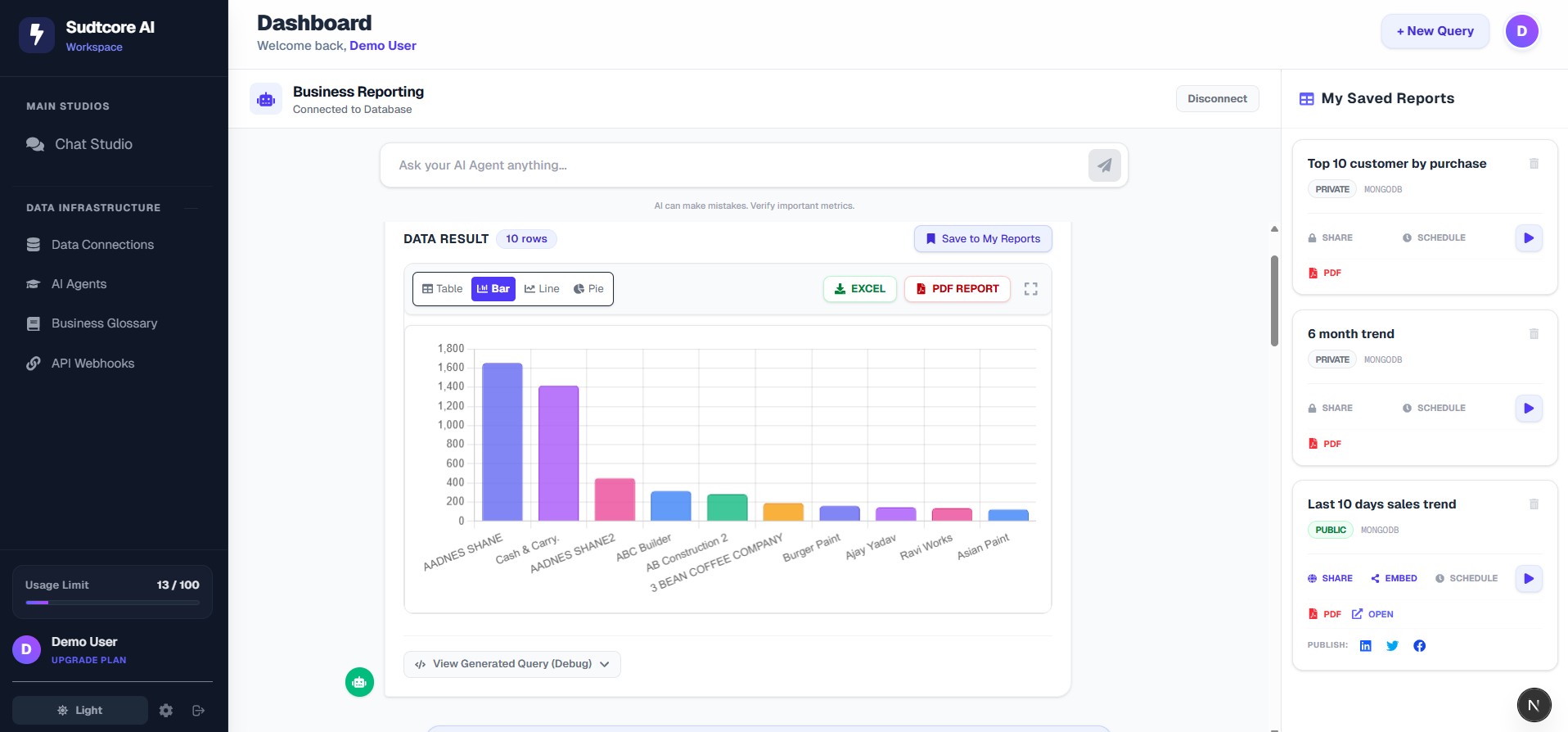
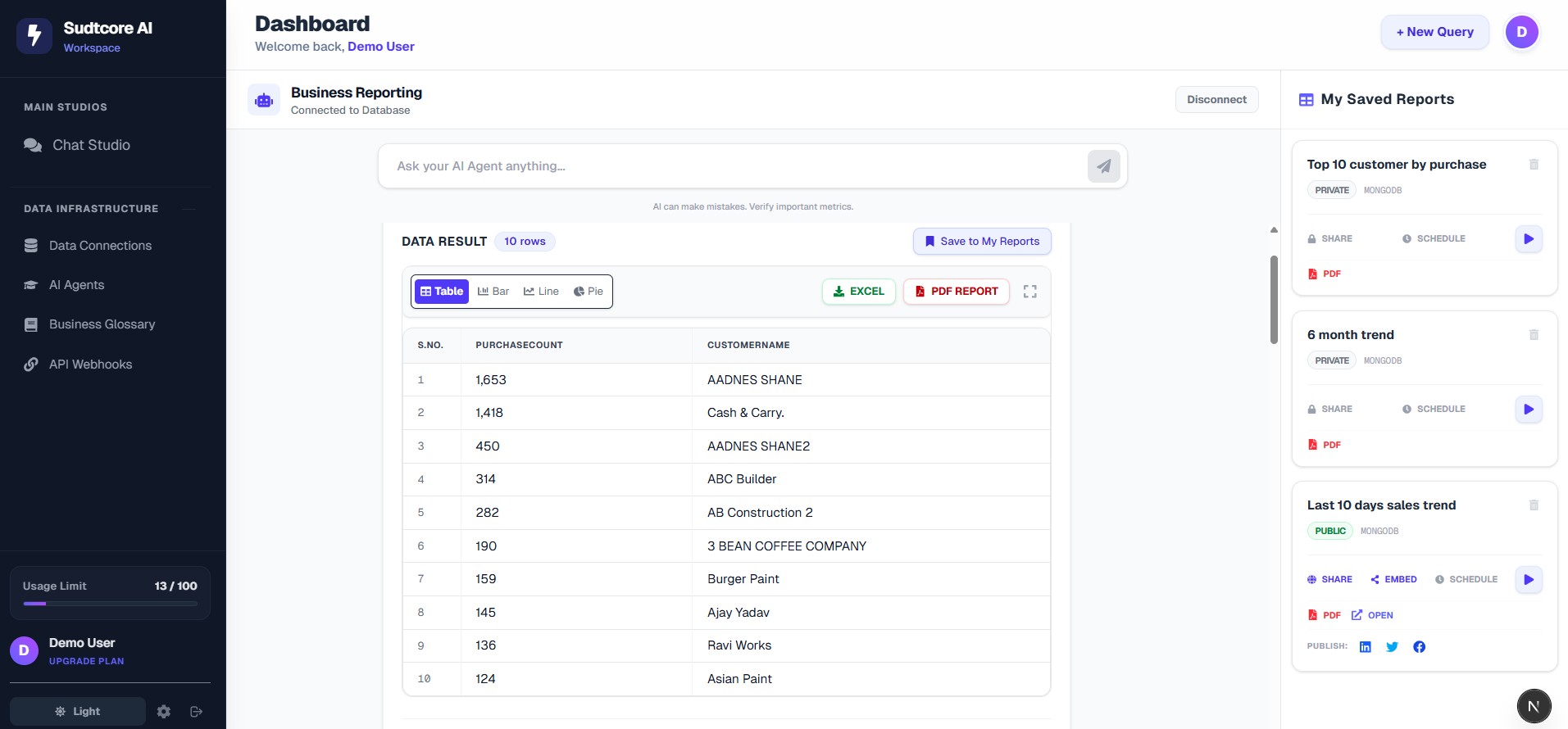
Automating Internal Reports
As you test, you can save highly useful queries to your "My Saved Reports" dashboard.
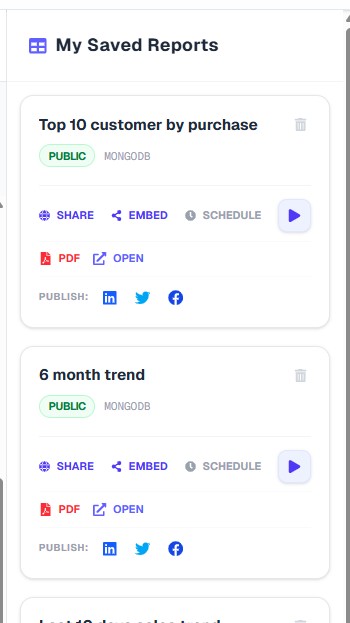
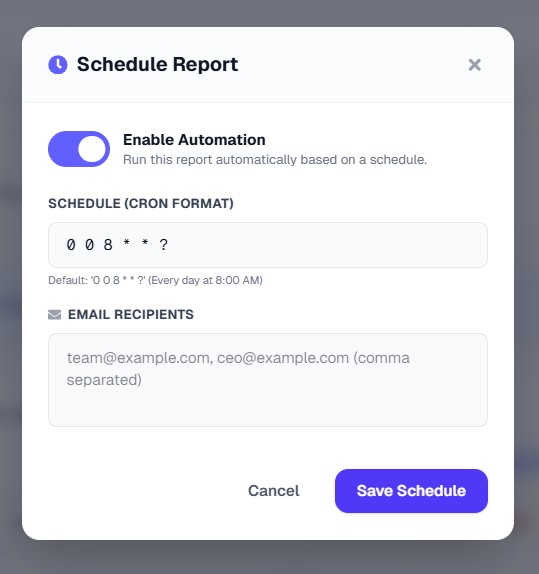
You can even use the Schedule Automation feature to define a CRON job. SUDTCore will automatically execute the query, generate the chart, and email the fresh report to your executive team every morning.
Step 5: Embed the Sales Assistant on Your Live Website
Once you are confident in your AI, you can launch it publicly. SUDTCore provides incredibly simple script tag and iframe exports.
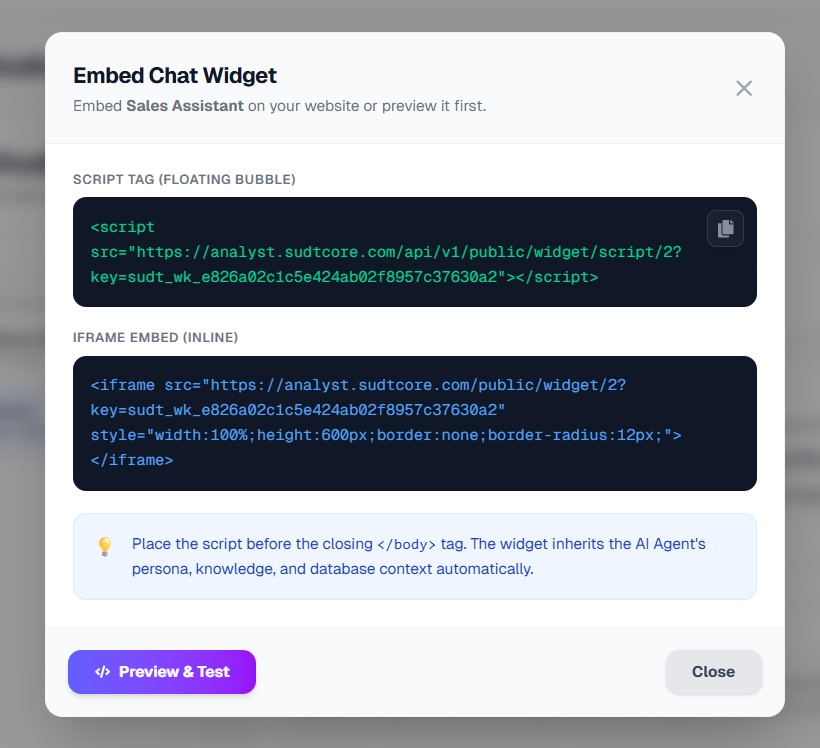
When you embed this on your site, customers get a beautifully branded, intelligent chat window that actually knows your real-time inventory and pricing. It can assist, browse, and directly trigger the webhooks you configured in Step 2.
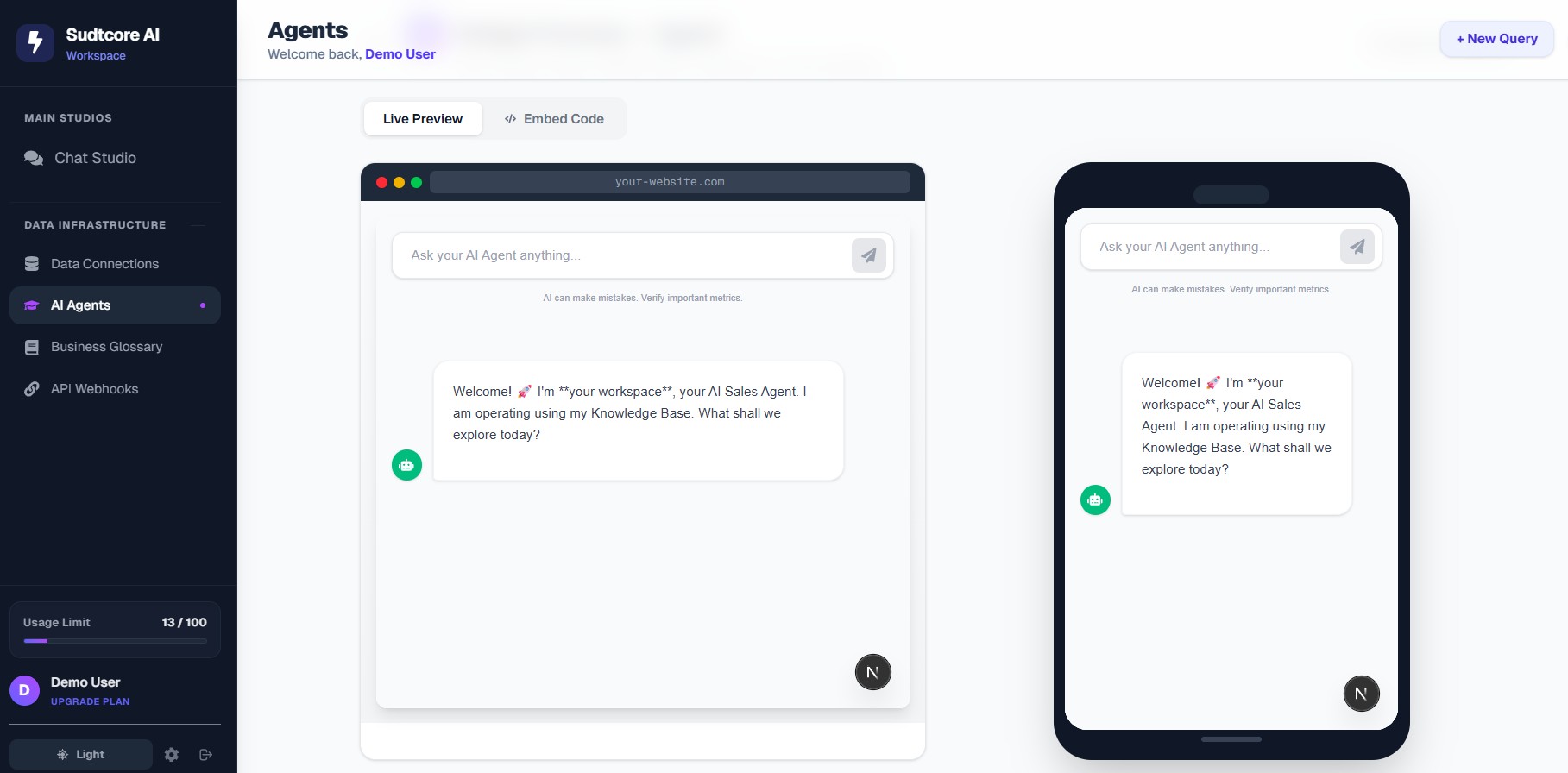
Bonus: Embed Live Dashboard Charts Directly
For internal portals, you aren't just limited to the chat widget. SUDTCore allows you to seamlessly embed live graphical trends (like a "6 month sales trend") populated directly by the AI.
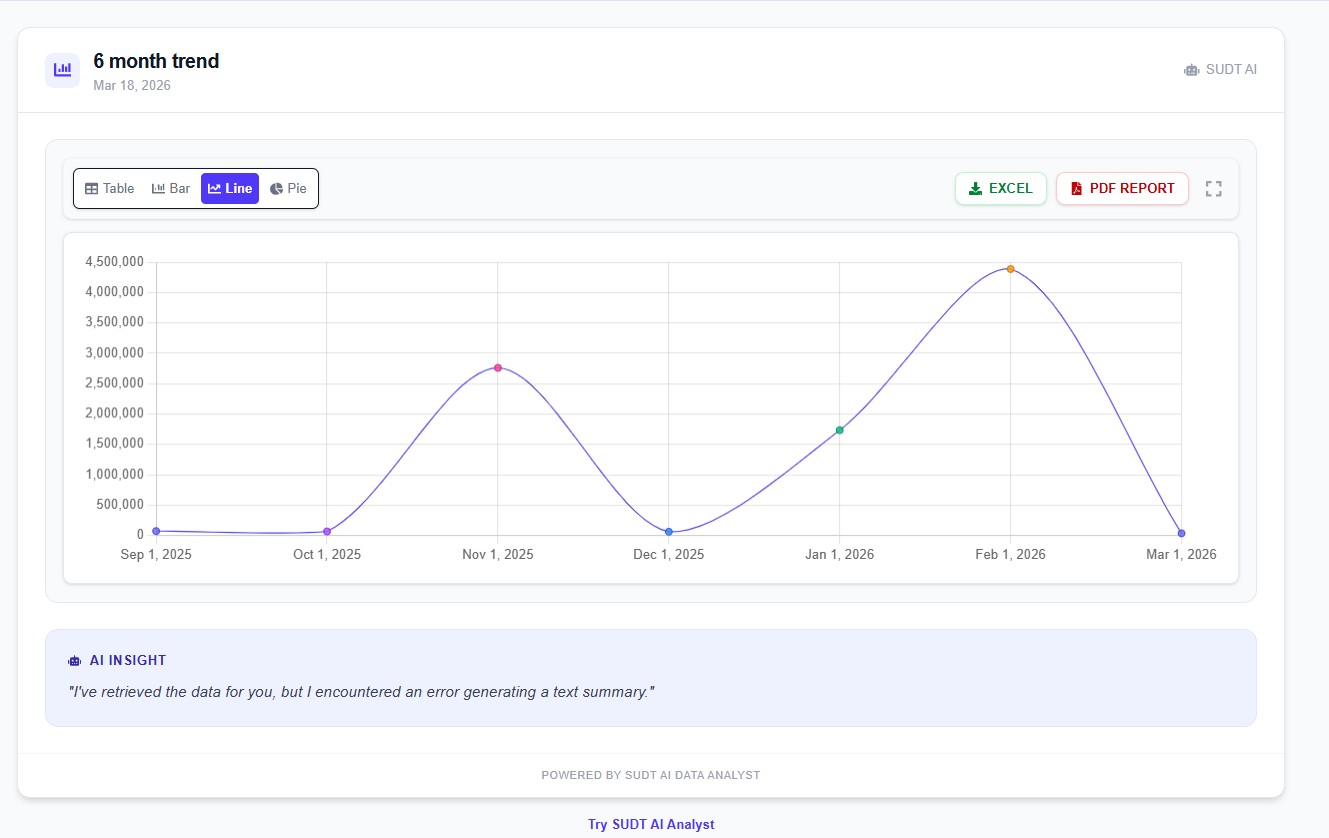
If you're ready to transform your data into a proactive sales engine, start building your first SUDTCore Agent today.
Ready to automate your data tasks?
Stop struggling with manual queries and spreadsheets. Connect the SUDTCore Analyst today and talk directly to your data.
Start Your Free Trial